
Fiber Optic Temperature Monitoring Software & Custom Cloud Platform
Monitor fiber optic temperature channels with local Modbus RTU software or a custom cloud platform for trends, historical data, device management and alarms.
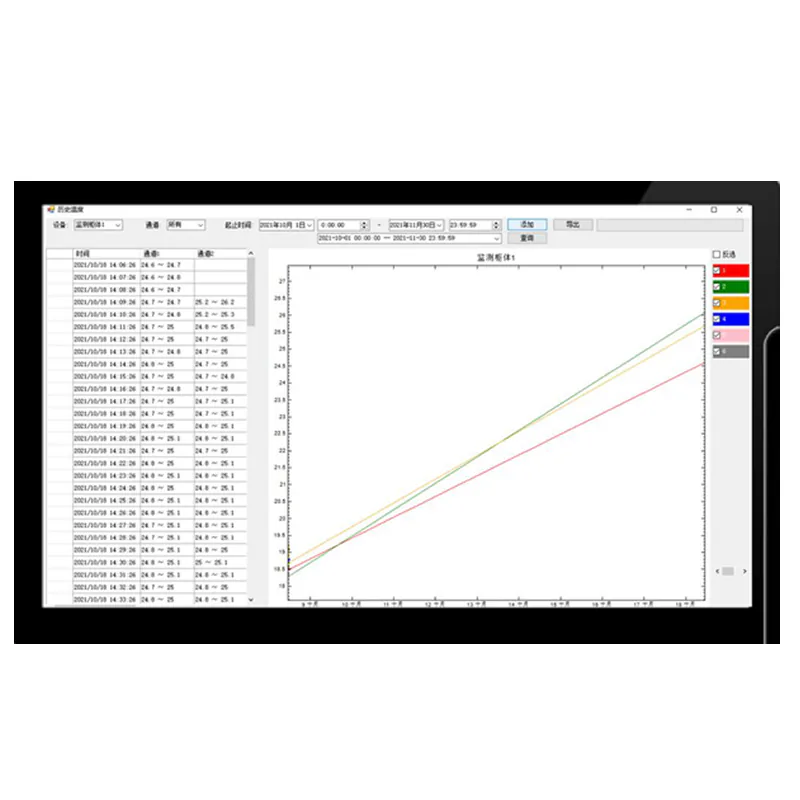
TEMPERATURE MONITORING SOFTWARE AND CUSTOM CLOUD PLATFORM
View Temperature Data Locally or Across Connected Devices
Bring channel readings, trends, historical records and alarm information into an operator view that matches your monitoring workflow.
Local software communicates with a compatible transmitter through serial Modbus RTU. The cloud platform is a separately configured deployment for connected devices, remote views and notifications.
- Temperature channels and device status from compatible monitoring instruments.
- Define instrument interfaces, channel names, data records and alarm recipients before configuring local software or cloud access.
Local Monitoring Software and Custom Cloud Deployment
INNO temperature monitoring software displays, records and monitors measurements from compatible fluorescence fiber optic temperature instruments. Local software uses serial Modbus RTU communication to read connected channels and present their temperature data.
Operator functions include real-time values, device and channel names, historical queries, data export and alarm management. Alarm conditions can cover overtemperature, temperature difference, temperature rise or fall, and operating status.
The custom cloud platform extends the workflow to multiple connected monitoring devices. Device connection status, channel curves, historical records, configurable displays, maps and mobile access can be included in the agreed deployment. Notification channels and connectivity are configured for the project.
LOCAL SOFTWARE
Acquire and Review Channel Data Through Modbus RTU
A local installation connects the computer to compatible temperature transmitters over a serial interface. The operator can identify channels, watch readings and retrieve recorded data.
- Name equipment and channels for clear operator identification.
- Display readings and review historical temperature records.
- Configure queries, exports, printing and alarm conditions.
CUSTOM CLOUD PLATFORM
Configure Remote Views and Notifications
A cloud deployment is developed around the connected instruments, device configuration and required user workflow. Functions are selected as part of the project scope.
- View multiple devices, connection status and channel curves.
- Configure historical exports, device maps and display components.
- Integrate mobile access and WhatsApp, email, SMS or voice notifications as required.
PRODUCT DATA
Software Functions & Deployment Options
Select the final configuration around the equipment design and required measurement points.
APPLICATION FIT
Typical Project Uses
Choose the deployment around operator access, data history, device count and the required alarm workflow.
Local equipment monitoring
Review this product’s role, installation method and related components against the actual application.
Multi-device temperature supervision
Review this product’s role, installation method and related components against the actual application.
Historical temperature reporting
Review this product’s role, installation method and related components against the actual application.
Remote alarm workflows
Review this product’s role, installation method and related components against the actual application.
BUYER QUESTIONS
Frequently Asked Questions
What is the difference between local software and the custom cloud platform?
Local software reads compatible transmitters through serial Modbus RTU. The cloud platform is configured for multi-device collection, remote visualization, user access and notifications.
Can users export historical temperature data?
Yes. Historical queries and data export are supported. Query, export and printing requirements are defined during software configuration.
Which alarm functions can be configured?
Functions include overtemperature, temperature difference, temperature rise or fall and operating-status alarms. The custom cloud platform can add selected notification channels.
Are mobile access and cloud notifications included in every installation?
They belong to the customized cloud deployment. Confirm mobile integration, notification channels and connectivity in the project scope.
Which operating system should we specify?
Confirm the target operating system and software version during configuration. The published local-software environment includes Windows 10 64-bit and earlier Windows versions; compatibility with another environment requires confirmation.
Does the software measure temperature without an instrument?
It receives data from compatible monitoring instruments. Optical sensing probes and signal-processing hardware supply the measurements used by the software.
RELATED PRODUCTS
Related Components and Systems
These products serve different roles in the same optical temperature-measurement path.
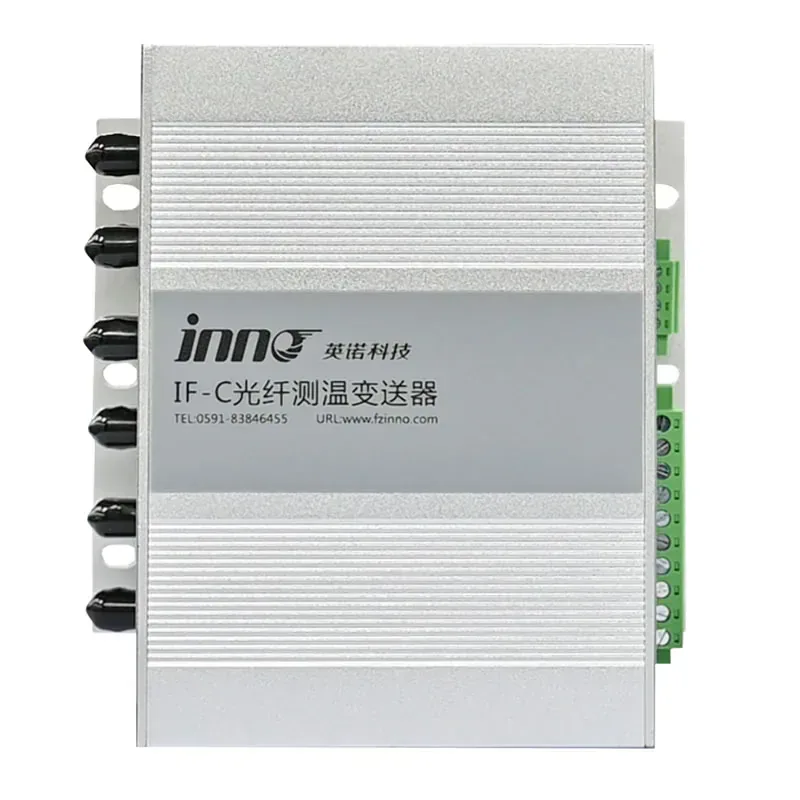
IF-C Multi-Channel Fiber Optic Temperature Transmitter
A configurable multi-channel host that converts signals from separate fluorescence fiber optic probes into temperature data, relay alarms, RS485 communication, and optional analog outputs.
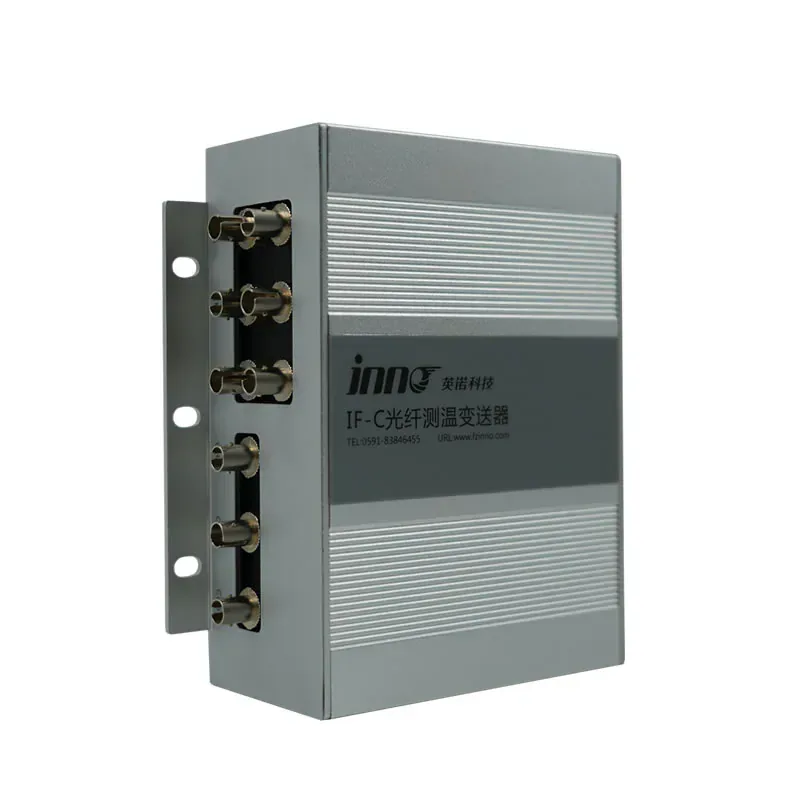
IF-C Nine-Channel Fiber Optic Temperature Monitoring Host
A configurable optical temperature monitoring host for up to nine selected probe channels, local monitoring functions and planned industrial communication.
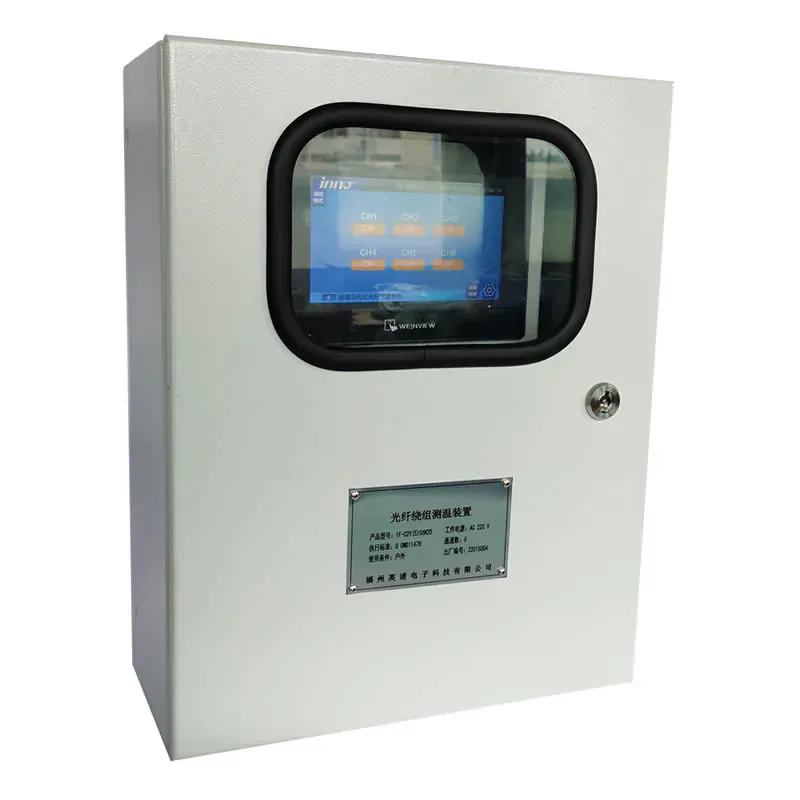
Oil-Immersed Transformer Fiber Optic Temperature Monitoring System
A configured fiber optic temperature monitoring system for selected internal temperature points in oil-immersed transformer projects.
PRODUCT CONFIGURATION REVIEW
Plan the Right Product Configuration
Tell us how this fiber optic temperature monitoring software will be used. INNO can review the measurement point, installation route, channel requirements and system interface against the selected product.
- Measurement target: Temperature channels and device status from compatible monitoring instruments.
- Installation method: Define instrument interfaces, channel names, data records and alarm recipients before configuring local software or cloud access.
- Product selection: Local workstation or custom cloud deployment
- System requirement: User access, connectivity and target operating environment
Include the operating temperature range, number of measurement points and required communication or alarm outputs where applicable.